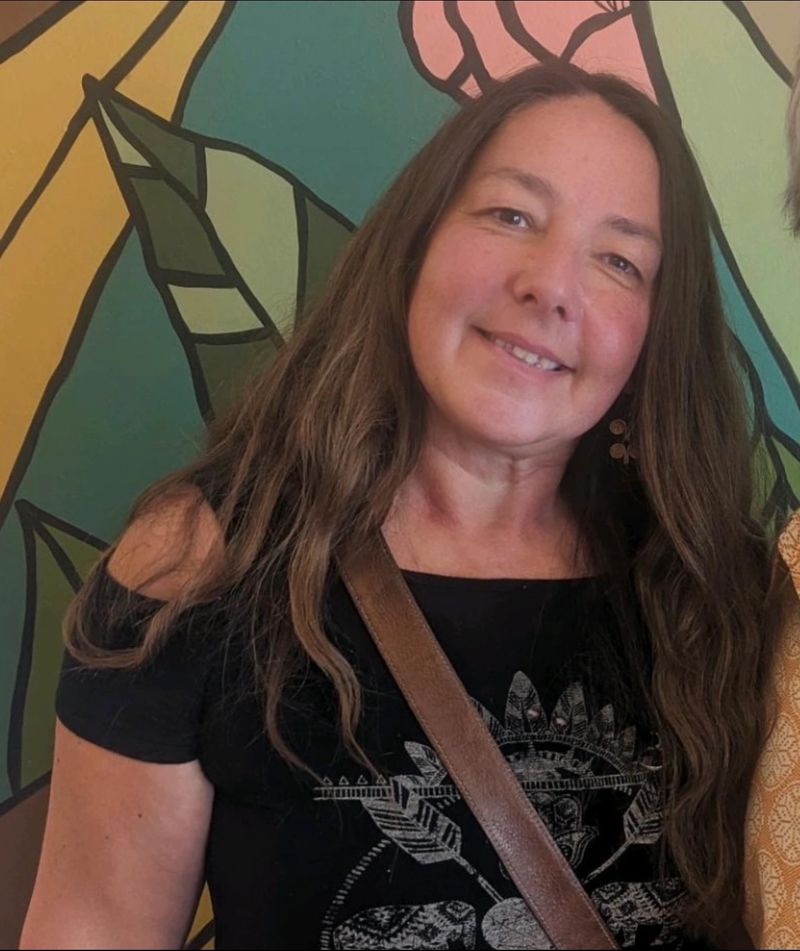
AboutMy academic journey at Red Deer Polytechnic has been an incredibly rewarding experience, allowing me to achieve a place on the Dean's List while completing my Educational Assistant certificate. I have thoroughly enjoyed the curriculum, as it provided a powerful opportunity to synthesize my many years of prior experience with modern educational theory. It was truly enlightening to see how my deep roots in Waldorf principles and my background as an educator and doula perfectly aligned with the course material, with each lesson breathing new life into my professional history. This success is not just a reflection of my grades, but of how my lifelong dedication to children’s development has prepared me to bring a high level of insight and technical proficiency to the classroom.
Forest School Survey Click Button to Take Part
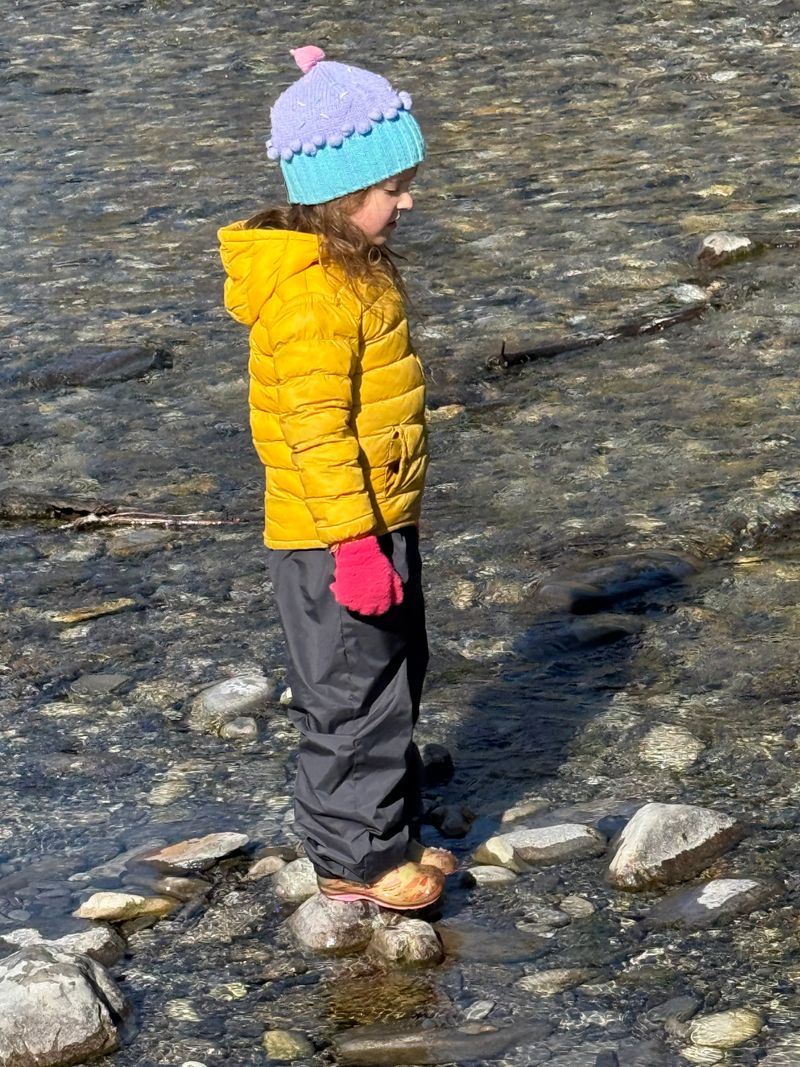
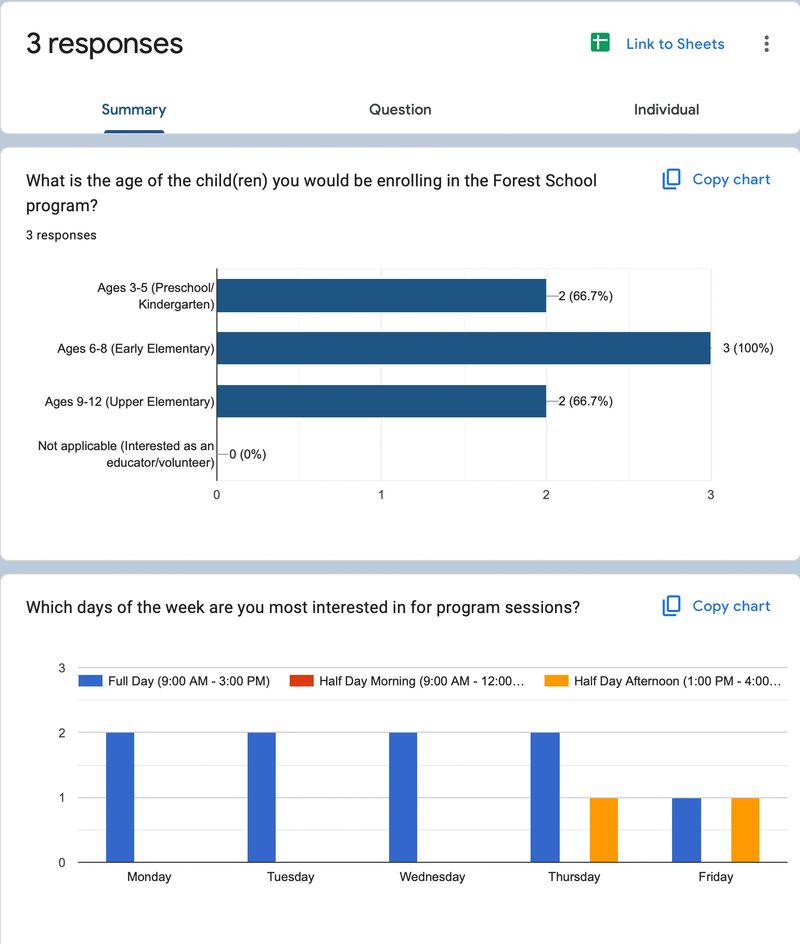
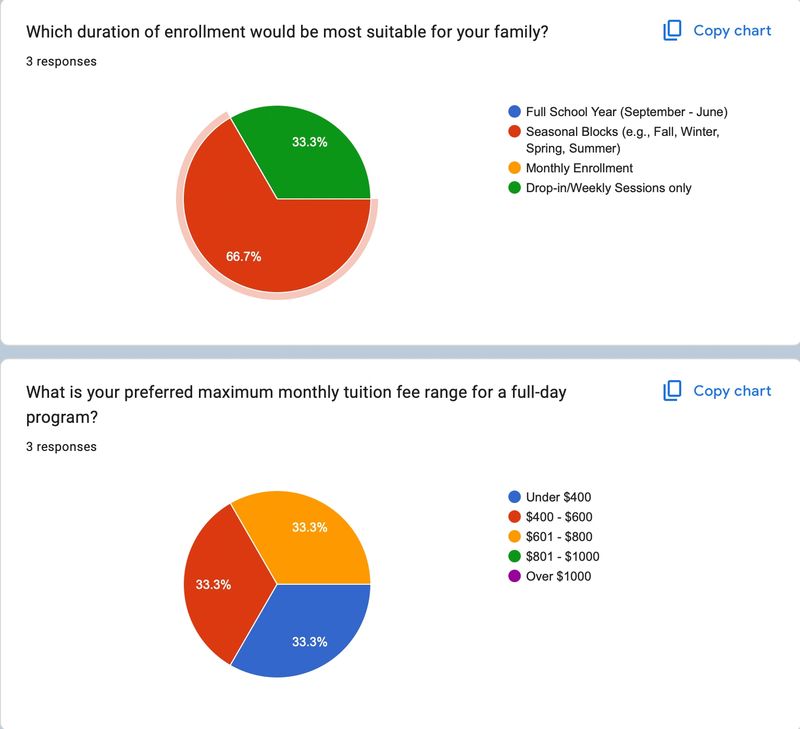
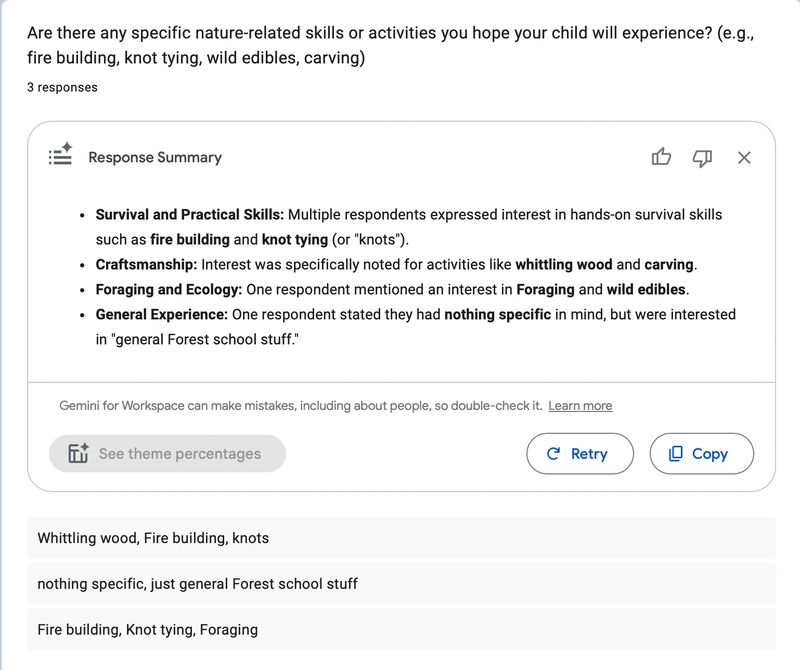
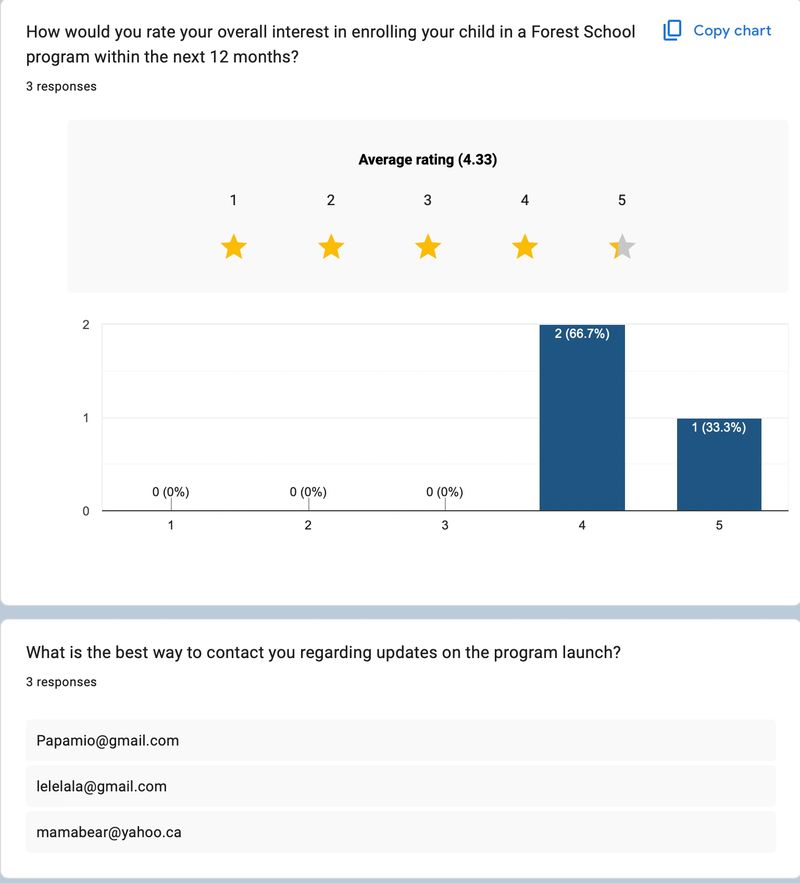
See The Results From Our Recent Survey!
We want to bring Forest School to your community!
Survey Responses
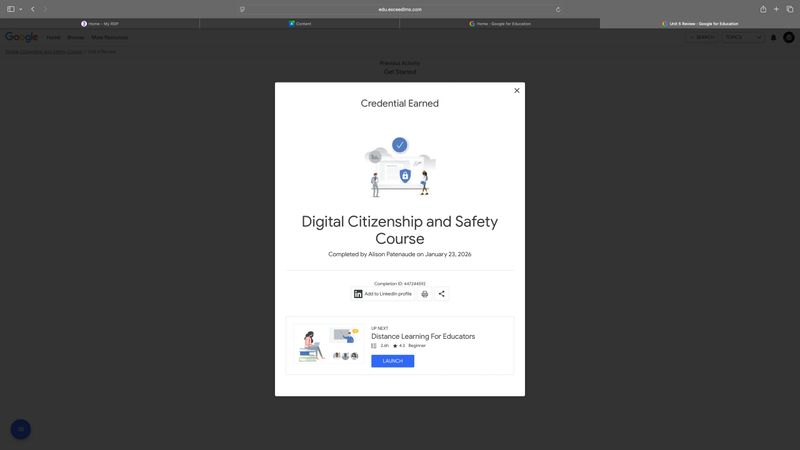
Alison Patenaude EDAS 1170 Certificate Digital Citizenship
The Digital Citizenship and Safety Course offered through Google for Education is a free, self-paced professional development program designed specifically for educators. It provides the framework and resources needed to teach students how to navigate the internet safely, responsibly, and ethically.
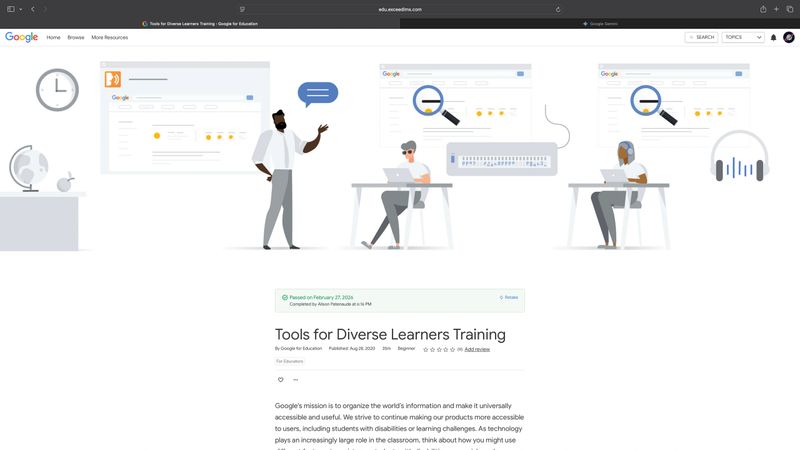
Alison Patenaude EDAS 1170 Certificate Tools For Diverse Learners
The Tools for Diverse Learners Training is a targeted professional development module offered through the Google for Education training center. It is specifically designed to help educators leverage Google Workspace and Chromebook features to create a more inclusive classroom environment for students with varied learning needs.
Alison Patenaude EDAS 1170 Blog Classroom Technology
What an amazing selection of tools for educators. I am a storyteller by nature so I naturally gravitated towards the storytelling tools. Storybird is a creative writing platform designed to help students and educators to create visual stories. The platform's unique "art-inspired" approach reverses the traditional storytelling process, instead of writing a story and then finding pictures, you choose from a gallery of professional illustrations to inspire the narrative.
The site supports various storytelling styles, including:
Picture Books: Multi-page stories with large images.
Longform Stories: Multi-chapter books for more complex narratives.
Comics: Panel-based storytelling.
Flash Fiction: Short, single-sitting stories.
Poetry: Visual poems created by arranging words over a single piece of art.
Also used as a classroom tool, Storybird offers over 700 guides, lessons, and writing challenges aligned with educational curriculum. Teachers can manage classes, create assignments, and provide feedback directly through the platform.
How It WorksSelect Art: You start by picking an artist or a specific image that sparks an idea.
Write: You drag and drop images into your book and add your text. The platform provides a simple interface for layout and formatting.
Publish & Share: Once finished, you can "publish" your work to the Storybird community. There is a moderation process to ensure a safe environment, particularly for younger users.
Feedback: Other users can read, "heart," and comment on your stories, providing a social aspect to the writing process.
I love how I can direct the narrative to support exactly what a student is walking through. If I have a student struggling with social anxiety, we can find artwork that mirrors those feelings and build a story together about a character finding their courage. If a child is navigating a specific obstacle like a diagnosis, a change at home, or even just a tough day on the playground, we can use the platform to "story" their way through it.
It’s more than just a writing tool, it can be used to practice empathy and perspective-taking. Being able to tailor a book to a child's specific individual challenges makes the lesson feel deeply personal and safe. It turns a standard literacy exercise into a powerful moment of connection and growth.
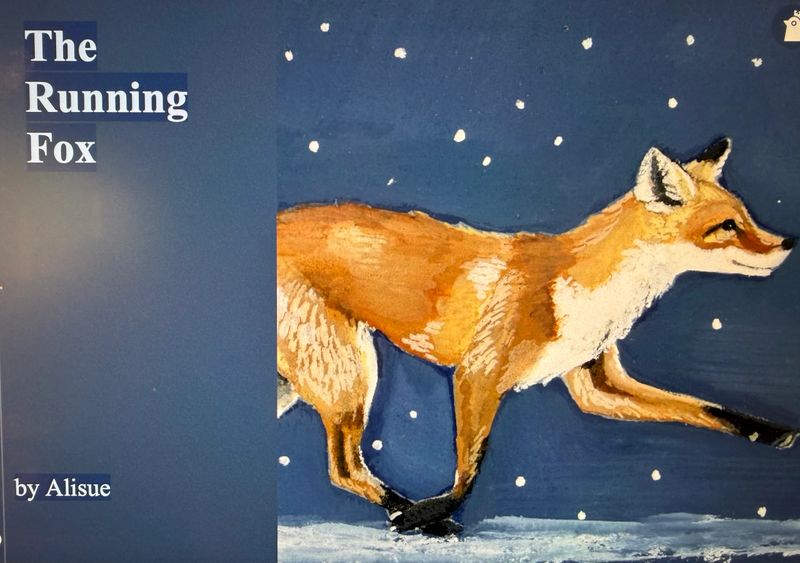
At my new position in the Early Learning Forest School I have noticed a frustrating pattern of three young boys who run excessively down the hall when we are heading to the bathroom. The smaller children often get pushed around and I can see they don’t like it. I wrote this picture book using Storybird to share with the group. I could see using all different formats to create character building or challenging behaviour stories. I also do love beautifully illustrated books, so I appreciate that the images are not only simple AI generated content. I will definitely be using this platform again, and will be considering an upgraded membership.

Alison Patenaude EDAS 1170 Blog Platforms, What Do you Know?
In the modern educational landscape, the ability to pivot between different
technology platforms is no longer just a "bonus" skill—it is a core requirement
for supporting diverse student needs. This week’s exploration into Google
Workspace, Microsoft 365, and Apple iWork has highlighted that while all three
suites offer tools for writing, presenting, and organizing data, they each serve a
distinct purpose in the classroom. Understanding these nuances allows us to
choose the right tool for the right task, whether we are drafting a formal report
or designing an interactive visual aid for a student ( GCFLearnFree.org, 2015).
For my own academic work, I am most comfortable using Google Docs for
writing assignments. Its "cloud-native" design is incredibly reliable; I never have
to worry about hitting a "save" button, and I can access my work from any device
(Stratvert, 2020a). Last semester, I also branched out into Google Slides for a
major project and found the platform quite user friendly. In my professional past,
I relied heavily on Microsoft PowerPoint for presentations, as it offers a level of
granular control over animations and transitions that is hard to match (Stratvert,
2020b ). Additionally, I have frequently used Apple Pages for more creative tasks
like brochures and newsletters because its layout tools feel more intuitive for
design-heavy documents (Apple, 2021).
Despite my comfort with these platforms, this week has made it clear that I need
to spend more time exploring spreadsheets—specifically Microsoft Excel and
Google Sheets—in greater depth. I learned that while Google Sheets is excellent
for simple, shared tracking (Stratvert, 2020c), Microsoft Excel remains the
"industry standard" for complex data analysis due to its vast library of functions
and visualization tools (Stratvert, 2023). Bridging this gap in my knowledge will
be essential for accurately analyzing student data and contributing meaningfully
to classroom assessments.
REFERENCES
Apple. (2021, September 24 ). Pages — Explore the interface and your first document on Mac
[Video ]. YouTube. https:/ /www.youtube.com/watch?v=E44DVCyqD6M
GCFLearnFree.org. (2015, April 21). Google Drive and Docs: Getting started [Video ]. YouTube.
https:/ /www.youtube.com/watch?v=fbLjw6LgIvg
Stratvert, K. (2020a, January 14 ). How to use Google Docs - Beginner's guide [Video ].
YouTube. https:/ /www.youtube.com/watch?v=OBITNezSmLY
Stratvert, K. (2020b, April 7). How to use Microsoft PowerPoint - Beginner's guide [Video ].
YouTube. https:/ /www.youtube.com/watch?v=u7Tku3
Stratvert, K. (2020c, March 31). Google Sheets tutorial for beginners [Video ]. YouTube.
https:/ /www.youtube.com/watch?v=M3-MDhnZzPU
Stratvert, K. (2023, April 3). Microsoft Excel tutorial for beginners [Video ]. YouTube.
https:/ /www.youtube.com/watch?v=rwbho0CgEAE